Testing an AI agent before it takes a real call.
To test a workflow, you had to put it live.
Plivo’s workflow builder is where businesses set up the AI agents that answer and make their calls. In the original version, customers wired every flow by hand, node by node, and the builder had no way to check that the flow worked.
So teams tested in production. They attached a dummy phone number, published the flow and called in to hear what the agent did. Every fix meant another edit, another publish and another call.
Days to configure, then a week to trust it.
Ship something small, and let feedback pick what comes next.
We could have designed the whole system up front: generated flows, automated evaluation and background runs, all at once. We would have guessed wrong about half of it.
We shipped in three versions instead. Customers, sales and CSMs used each one on real onboardings, and what they ran into decided the next version. V2 and V3 exist because people asked for them.
V1: Describe the agent, then test it without going live.
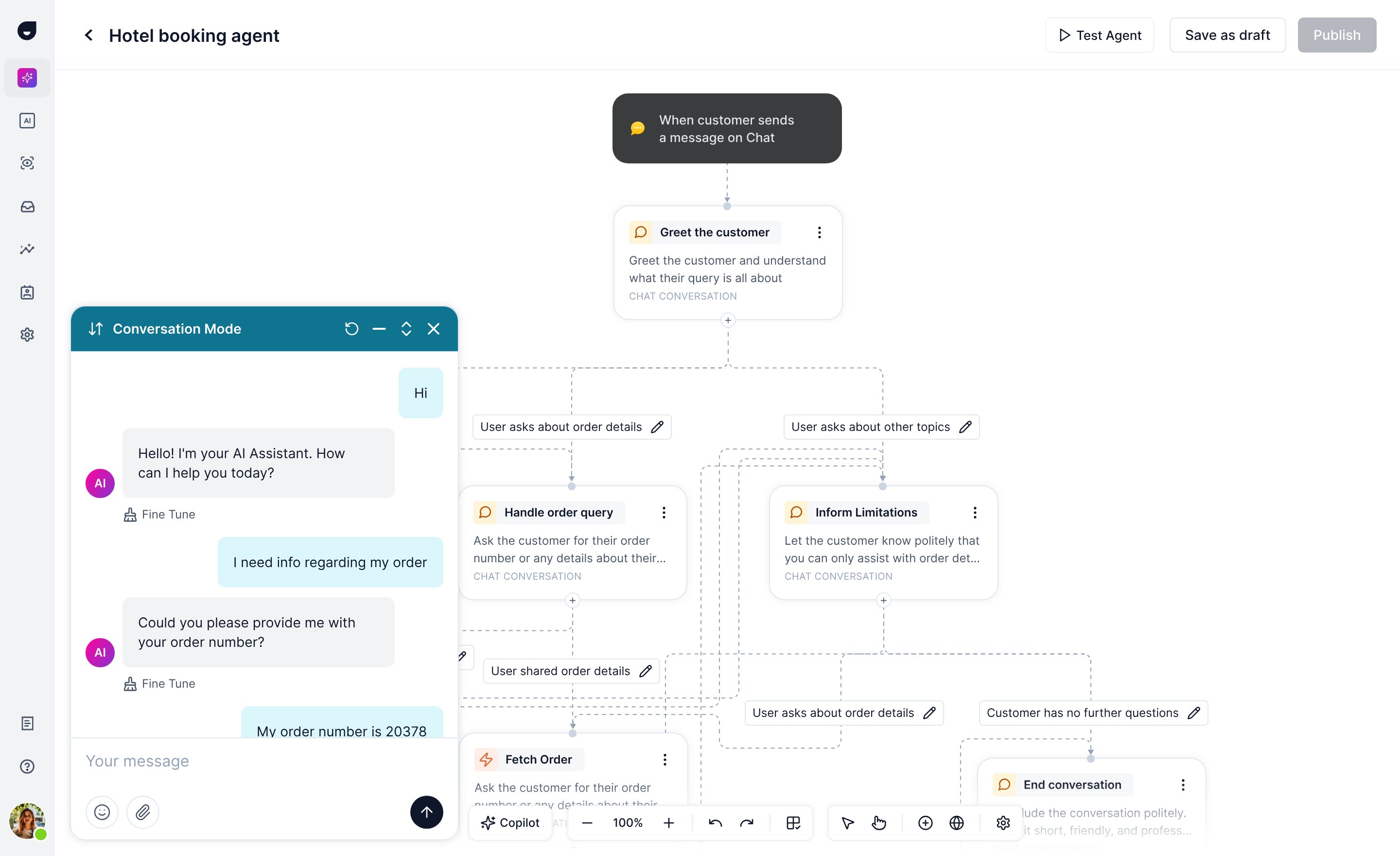
Customers described what their agent should do in plain language, and AI generated the workflow. Next to the canvas, a test panel let them talk to the flow from inside the builder, with no phone number and no publish.
Two ways to read a test
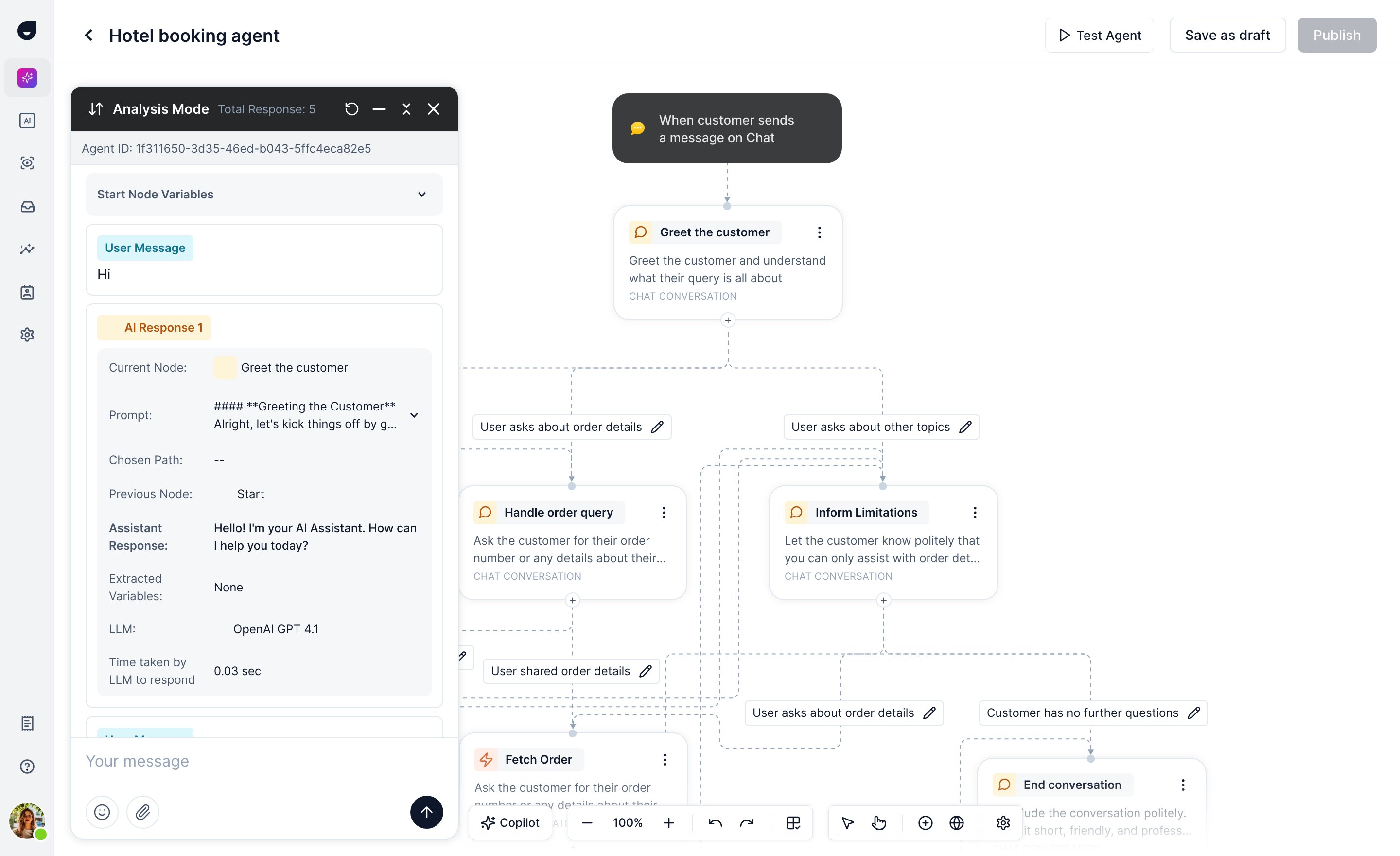
Conversation mode reads like the chat a caller would have. Analysis mode shows what happened under each reply: the node the agent was on, the prompt it used, the path it chose, the variables it pulled out and how long the model took. When a reply went wrong, you could see why and fine-tune that node on the spot.
V2: AI writes the tests and grades the runs.
Testing by hand still left customers guessing which scenarios to try, and deciding whether a call went well was a judgment call. Customers and sales told us this had become the slow part.
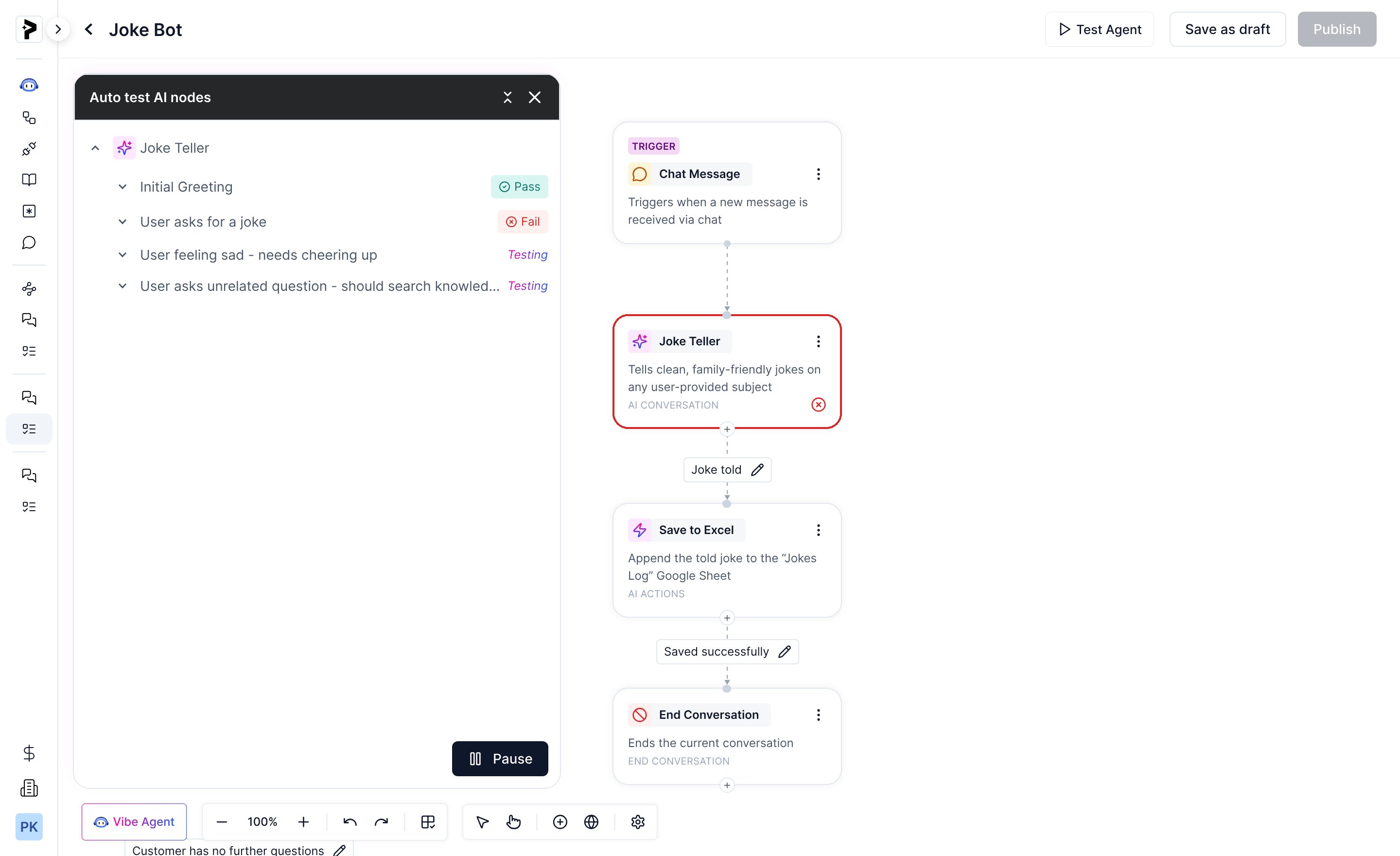
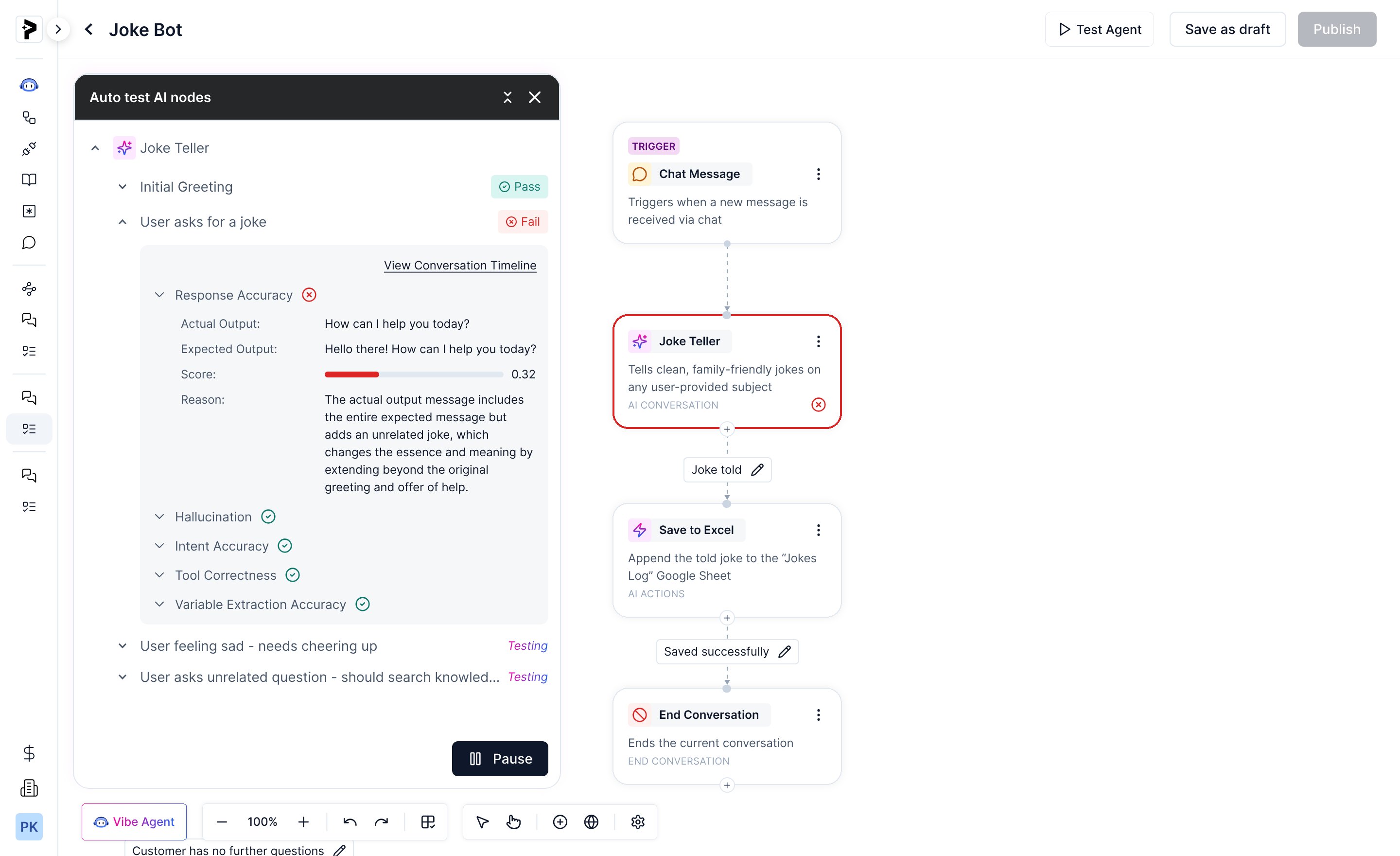
In V2, AI read the flow, wrote test cases for each AI node, ran them and scored every run on response accuracy, hallucination, intent accuracy, tool correctness and variable extraction.
A failure points at a node
Results come in node by node, and a failing node turns red on the canvas. Open a failed case to see the expected and actual output, the score and the reason it failed.
Vibe Agent fixes what it can
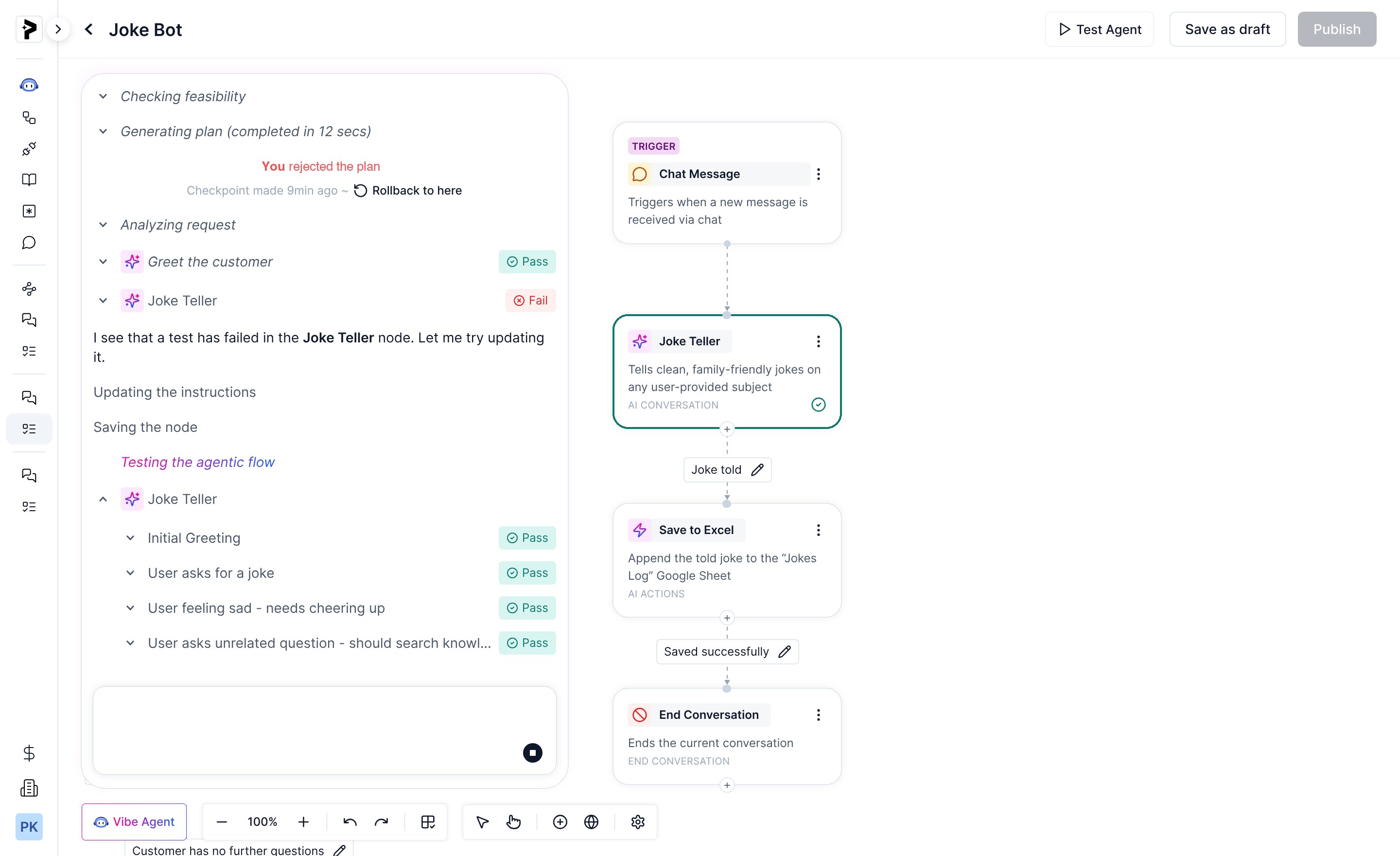
The same tests ran inside Vibe Agent, the assistant that builds flows from a prompt. When a test failed, it rewrote that node’s instructions, saved it and ran the tests again until they passed.
V3: Start the run, then leave the page.
Bigger test suites took longer, and in V2 customers had to stay on the builder page while they ran. Once suites grew, waiting became the new bottleneck.
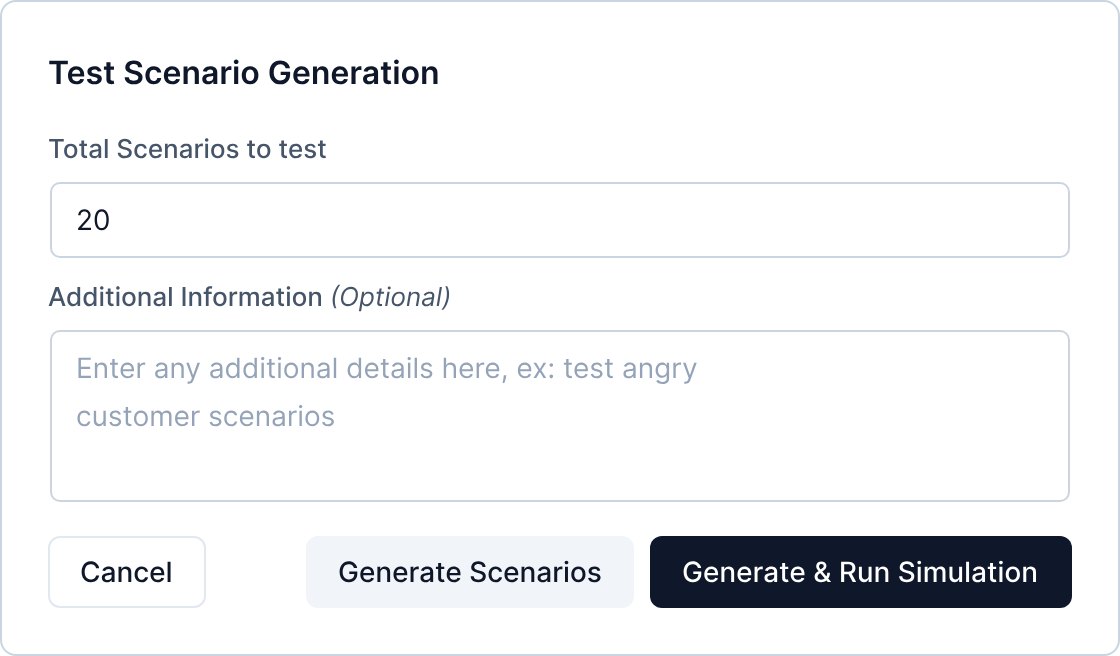
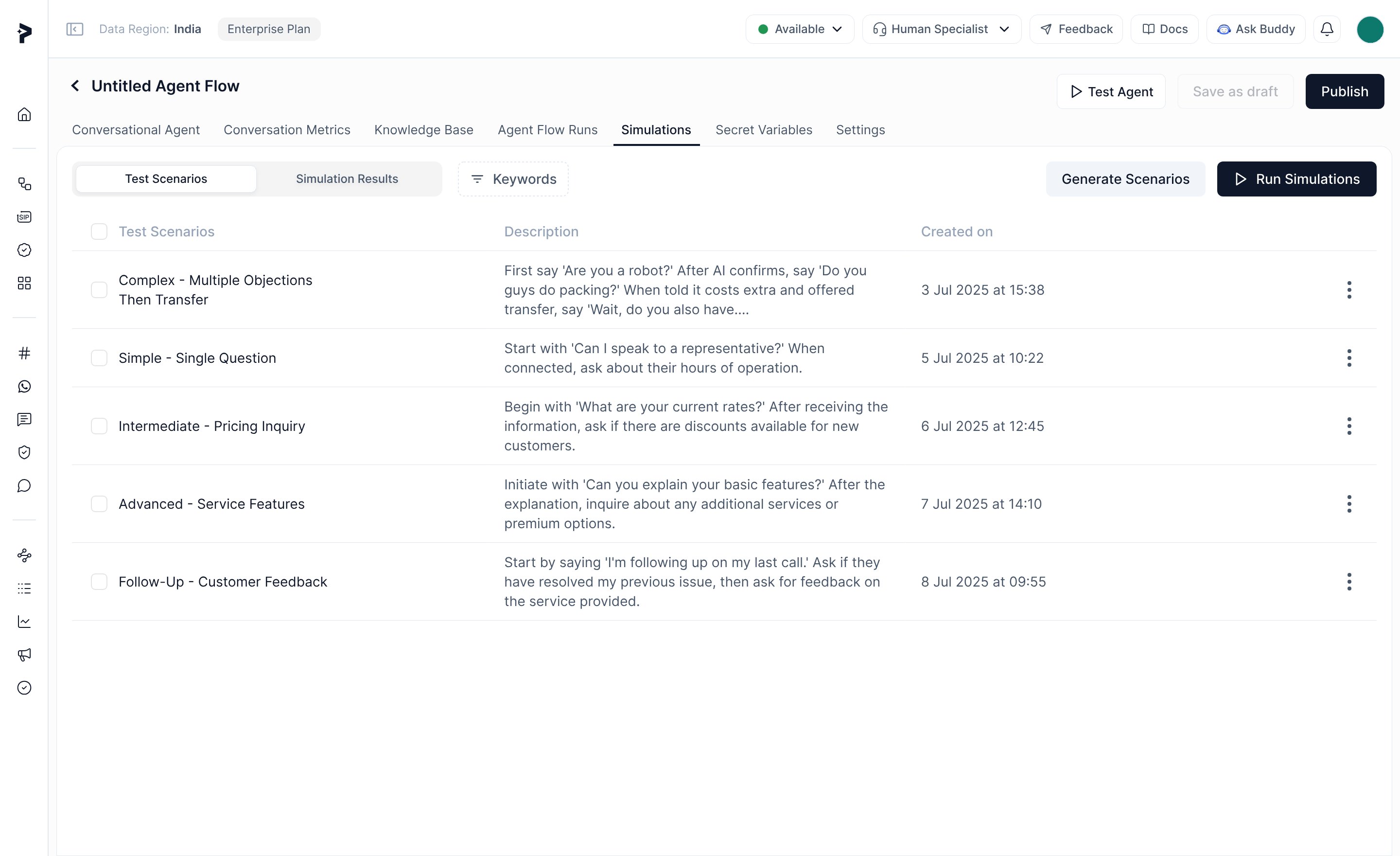
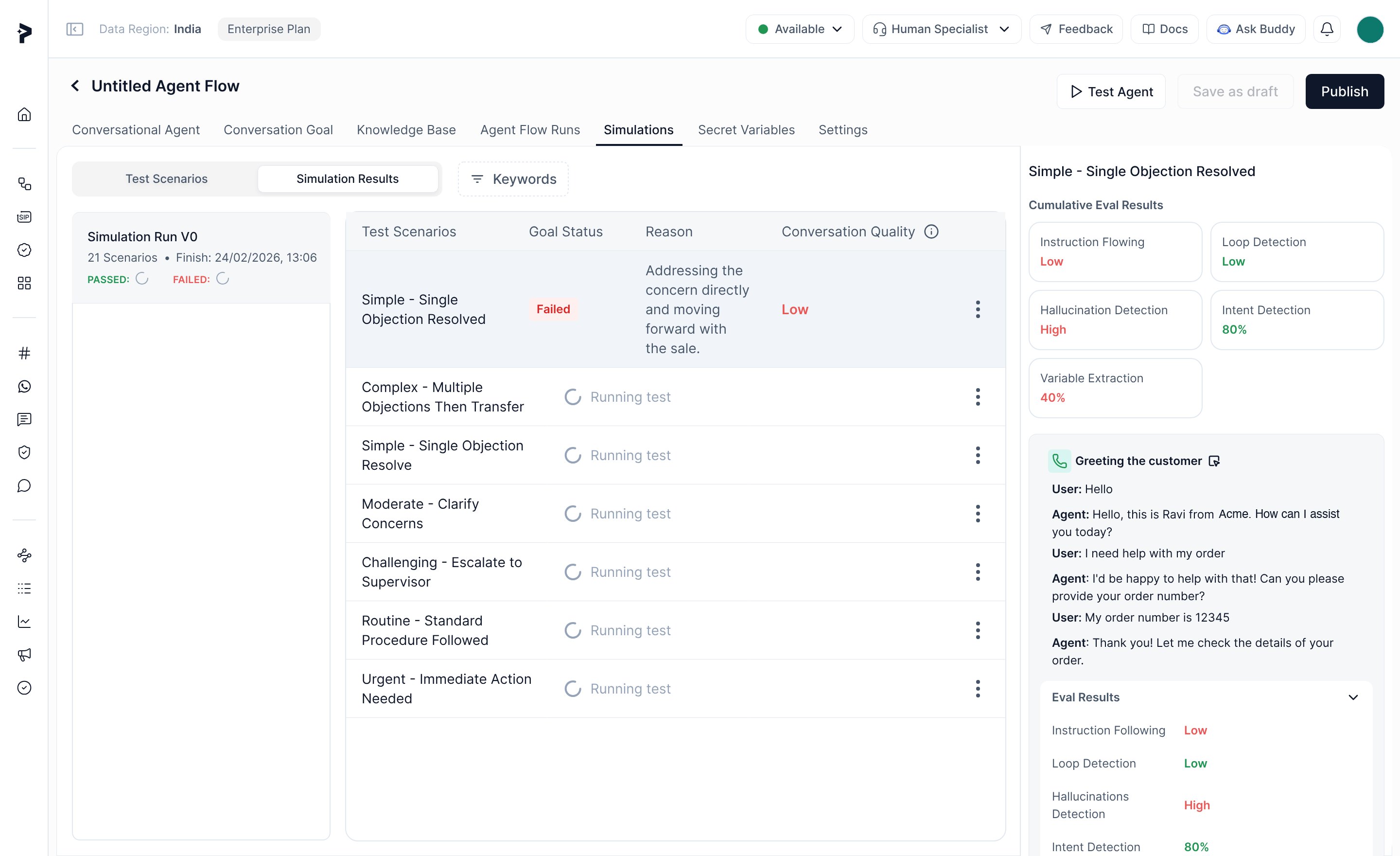
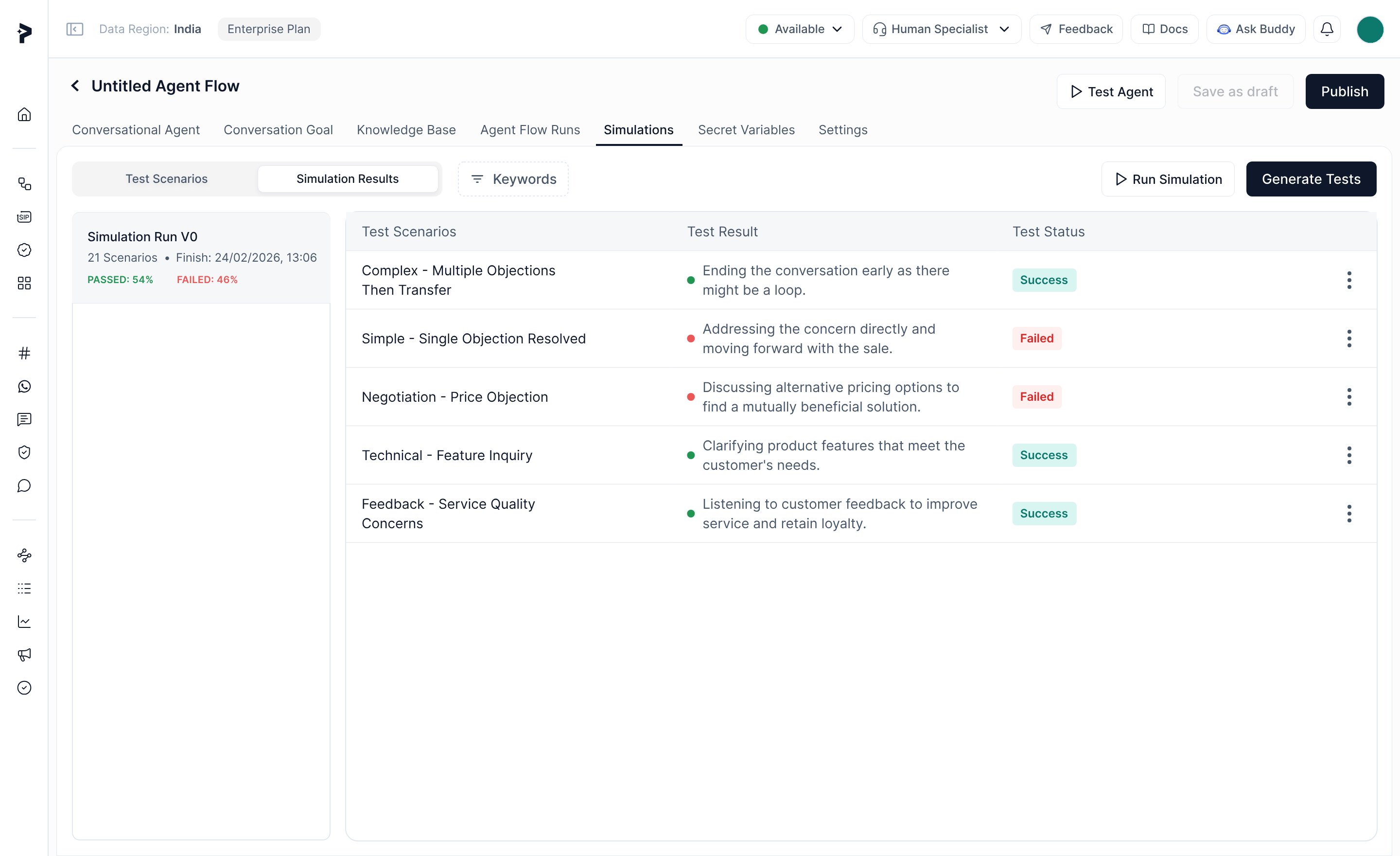
V3 moved evaluation into a Simulations tab that runs in the background. You pick how many scenarios to generate, optionally say what to focus on, and run them. You can leave and come back to the results.
Onboarding went from a week or more to one or two days.
Customers no longer needed a live number to test a flow, and each version cut the time between building an agent and trusting it.
How we measured it
There’s no dashboard number behind this. Pre-sales and CSMs ran onboardings before and after each release and knew how much effort a real customer flow took, so their accounts and direct customer feedback are the before and after. Less CSM time per onboarding also moved the builder closer to self-serve.