An expense tracker where you log every expense yourself.
The problem
Most expense trackers in India read your SMS inbox. You give the app permission, it picks up your bank alerts, and your expenses show up on their own.
I don’t like giving apps access to my messages, so I never used them.
For a while I tracked my spending in a ChatGPT chat. I told it I’d log expenses there and typed each one in after I paid. That worked until the chat got long and the model started forgetting older entries. I wanted the same habit in an app I owned.
The idea
You spend more carefully with cash because you watch the notes leave your hand. UPI took that feeling away. You scan, tap, and you’ve forgotten the payment before your phone is back in your pocket.
Spent tries to bring some of that feeling back. It doesn’t read your messages, so you type in each expense by hand. Every time you open the app to add one, you see this month’s total at the top of the screen. Seeing that number each time is what makes you more careful.
Typing in every expense is extra work, so I kept the rest of the app quick.
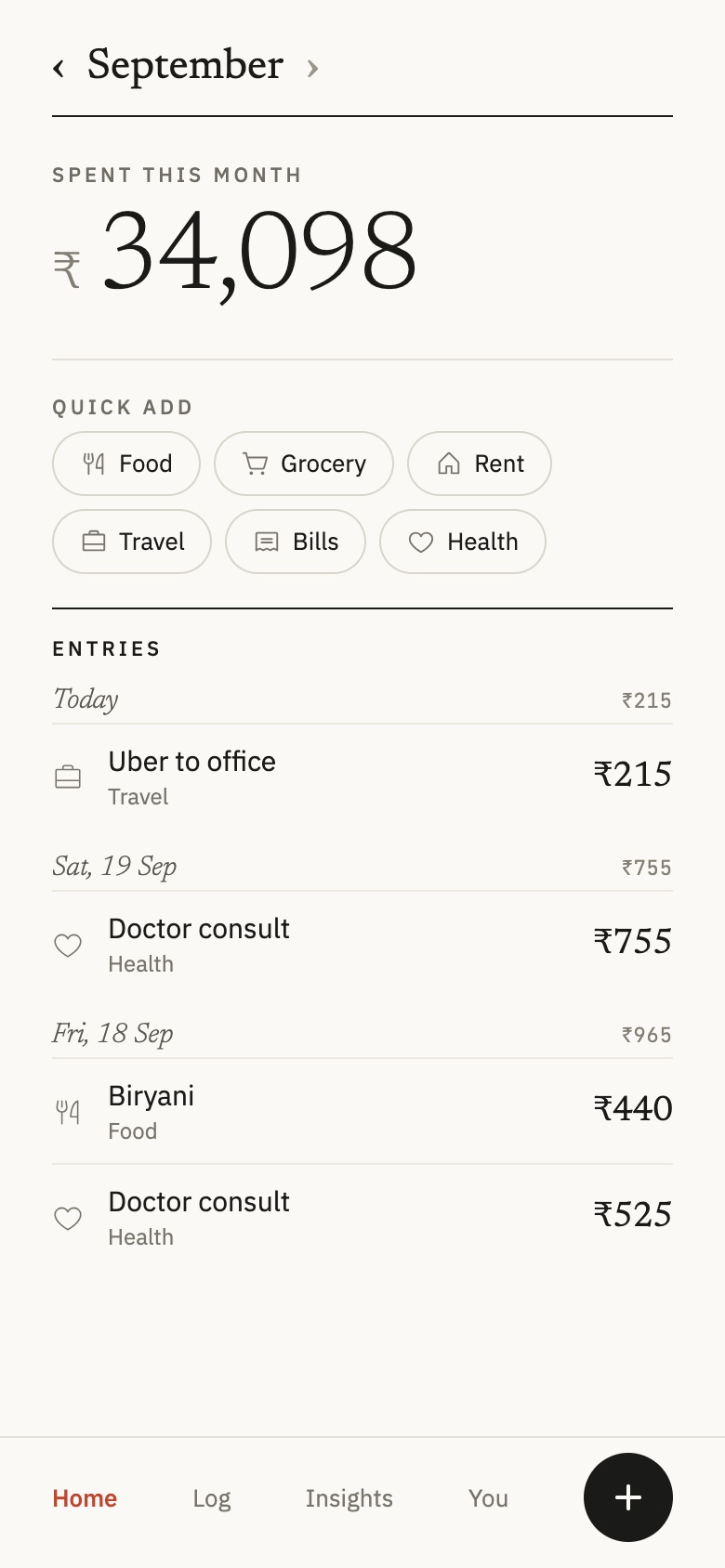
Home: the month’s total comes first.
Home opens on what you’ve spent this month, in large type. Below it sit the quick-add categories and your recent entries, grouped by day. You see the total before you log anything, which is the moment Spent is built around.
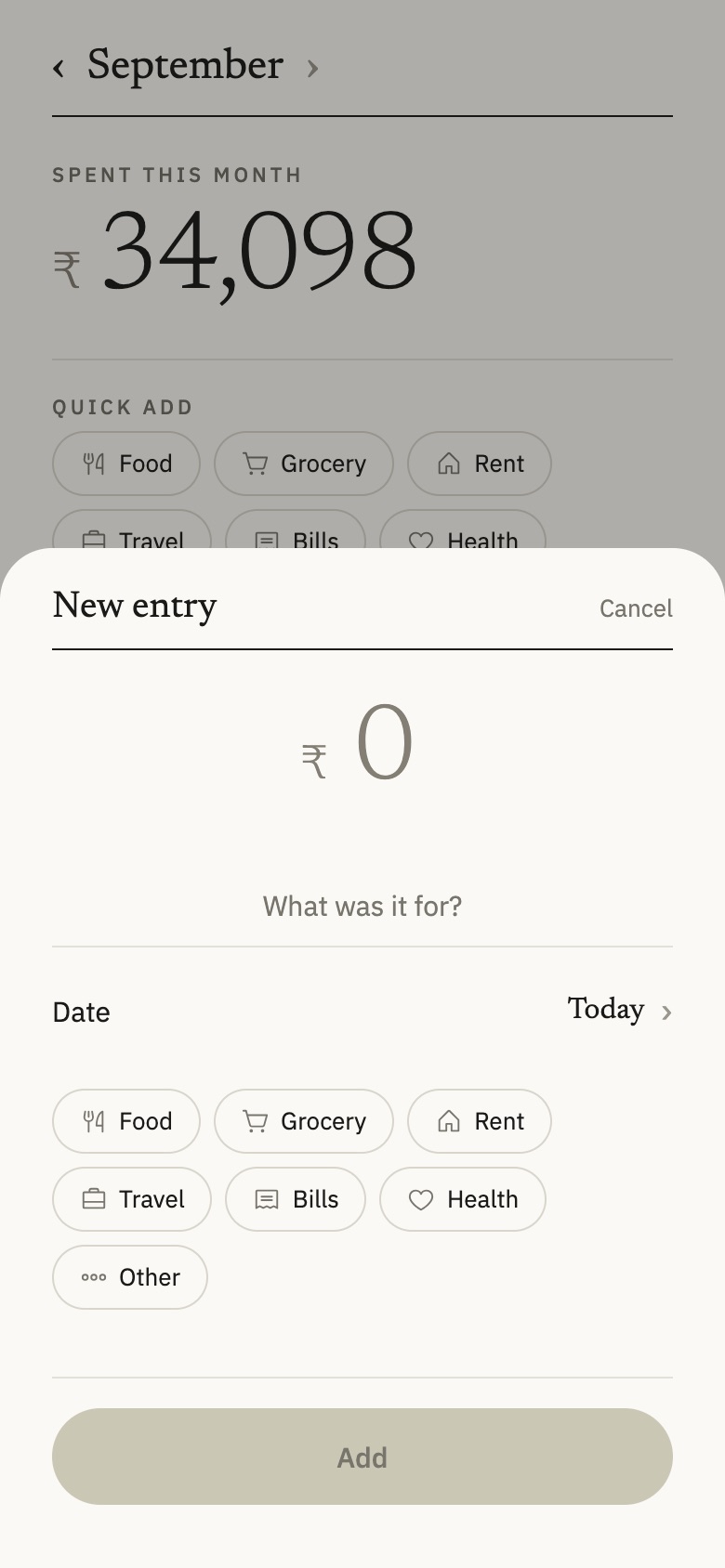
New entry: a category and an amount.
To log an expense, you tap a category and type the amount. The date defaults to today. If you add a note like “biryani”, the app guesses the category from it. An optional evening reminder asks you to add anything you missed during the day.
Log: rent and bills add themselves.
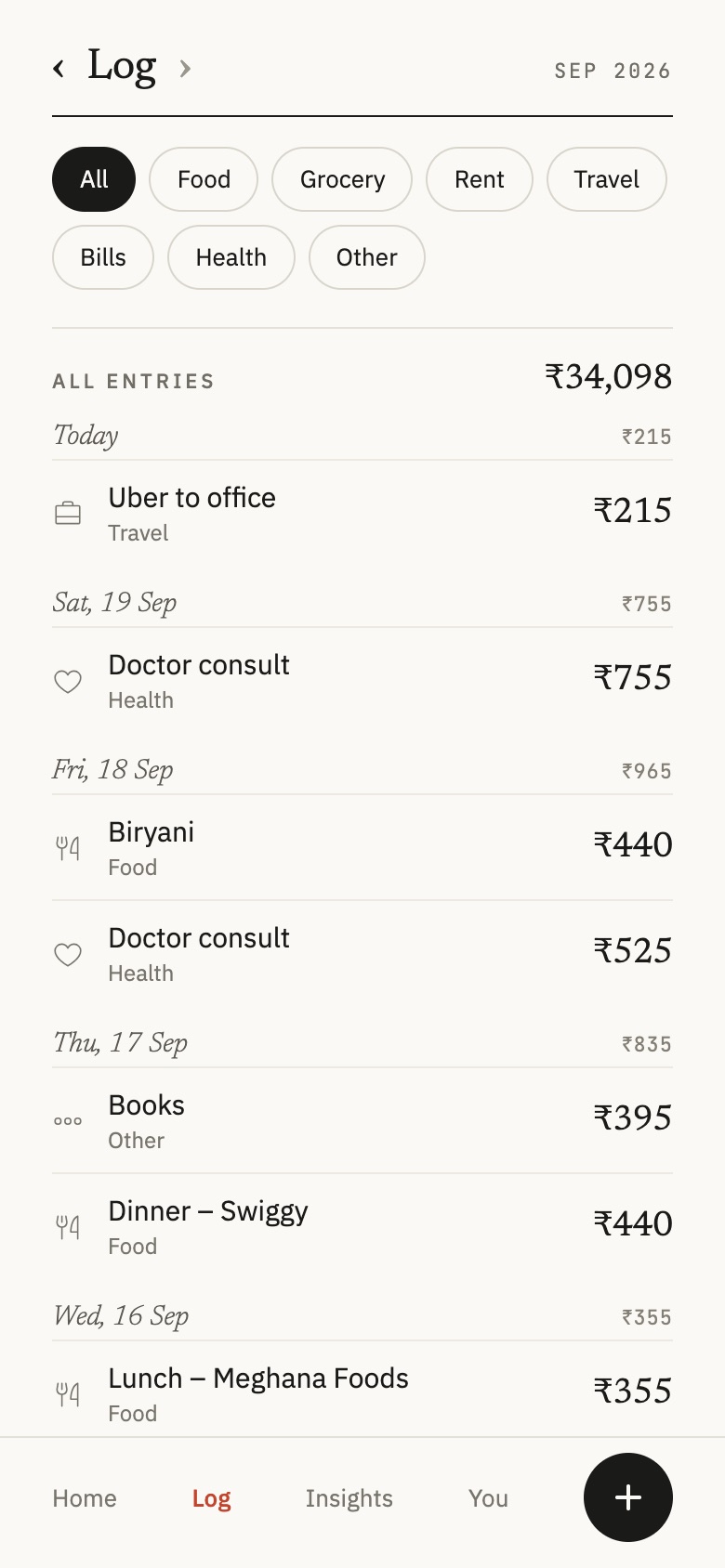
You set up fixed costs like rent, bills and subscriptions once, and Spent adds them to the log each month. The total stays accurate, and you only type in what you chose to spend. The Log lets you filter the month by category.
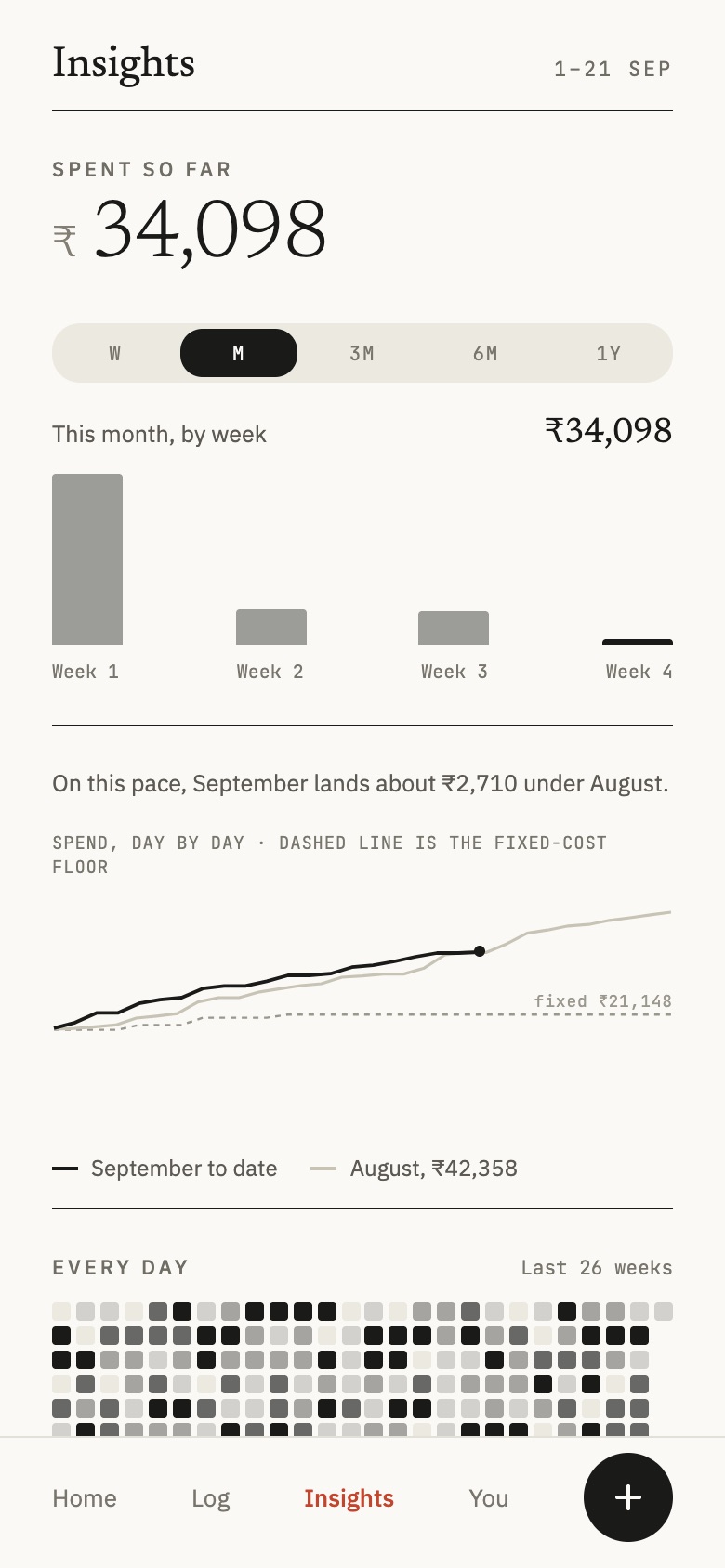
Insights: where the money went.
Insights shows spending by week, how this month compares with last month, and a heatmap of every day. It has no scores or streaks. You already feel the spending each time you log, so this screen only has to show the numbers.
Building it with AI
I also started Spent to see how far AI tools could take me. I design apps for a living, but I had never built one on my own.
I designed the screens as a prototype in Claude Design and built the app with Claude Code in React Native and Expo. The first working version was ready on day one. Over the next week I added onboarding, Insights, fixed costs, and Google sign-in with Supabase sync.
Claude Code wrote most of the code. I wrote the specs, reviewed its plans, tested on my phone, and decided what the app should and shouldn’t do.
What’s next
Spent isn’t finished. Before it goes on the Play Store I still need to add real payments for the Pro tier (right now they’re simulated), design the app icon, and write a privacy policy.